TeleClaw Cloud Agents: Run a Coding Agent from Telegram
TeleClaw is listed in OpenRouter's cloud-agent category. Learn what a cloud agent does, how 2026 changed the field, and how to run one from Telegram.

TeleClaw Team
July 2, 2026
TeleClaw, a Telegram-native cloud coding agent, is listed in OpenRouter’s cloud-agent coding category. OpenRouter is a unified LLM API platform that maintains an apps directory where developers discover and compare AI tools built on its infrastructure.
This post covers what cloud agents actually are, why 2026 has become their breakthrough year, and how TeleClaw lets you run one entirely from Telegram.
What Changed in 2026
A year ago, AI coding tools were glorified autocomplete. You typed, the model suggested, you accepted or rejected. The human was always in the loop for every line.
Cloud agents broke that pattern. You describe a goal such as “add authentication to my Express app” or “fix the failing tests in this file.” The agent handles the plan, execution, and verification. It writes code, runs it in a sandboxed environment, reads the output, fixes the errors, and reports back when it is done or stuck.
The shift happened because two things improved at the same time: model reasoning quality crossed a threshold where multi-step planning became reliable, and cloud compute became cheap enough to run persistent sandboxed environments at scale.
The result is a generation of tools that feel less like autocomplete and more like delegating a task to a capable junior engineer.
Why OpenRouter Cloud Agent Rankings Matter
OpenRouter tracks which AI coding tools developers actually use. The cloud agent category on their platform is where practitioners go to evaluate options before committing. Being listed there is a signal that the tool is production-ready and used at meaningful volume.
TeleClaw is listed in OpenRouter’s cloud-agent coding category. That means real engineers are choosing TeleClaw alongside other cloud agent tools for their coding workflows.
What TeleClaw’s Cloud Agent Can Do
TeleClaw runs each coding session in an isolated cloud sandbox. The agent can:
- Write and execute code across multiple languages and frameworks
- Debug errors by reading program output and adjusting the approach
- Browse documentation and reference material during a task
- Scaffold new projects from a description
- Run tests and iterate until they pass
The sandbox is ephemeral. When a session ends, the environment is cleaned up. Nothing persists to affect the next user or the next task.
The interface is Telegram. You describe what you need in chat with @claw, the agent runs in the cloud, and results come back in the same conversation. There is no terminal to open, no environment to configure locally.
The cloud agent capabilities are available on the Pro plan. The free tier includes the core AI assistant without agentic features.
Connect Your Favorite Harness
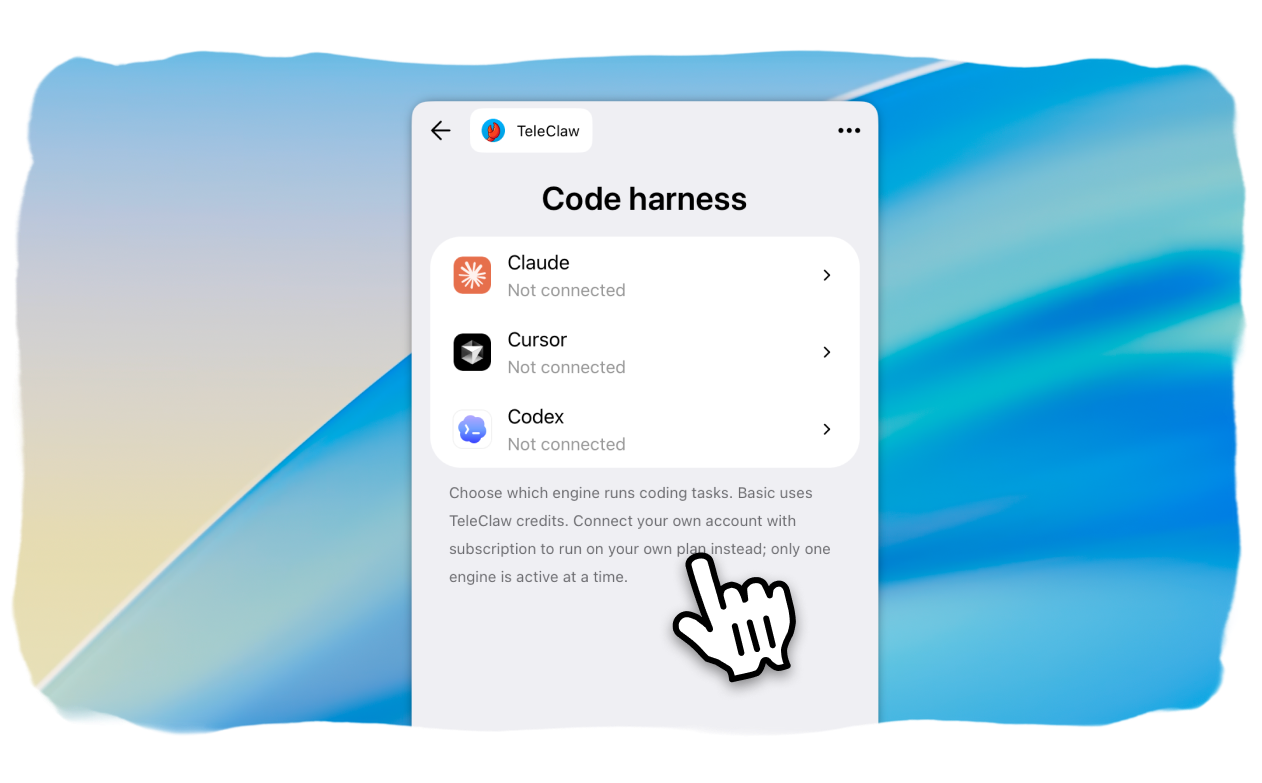
TeleClaw does not lock you into its own credit-based engine. Inside any agent’s settings, a Code harness screen lets you connect your own Claude, Cursor, or Codex account and run coding sessions on the tool and plan you already pay for.
This has turned into one of TeleClaw’s most popular features so far. Developers who already run Claude Code, Cursor, or Codex day to day want to keep using that exact tool instead of switching engines just to run tasks from Telegram.
Connecting a tool takes one authorization step per provider, and TeleClaw walks you through whichever flow that provider uses. Claude Code asks you to authorize in the browser and paste back a short code. Cursor and Codex confirm automatically once you approve the sign in on their own site, no code to copy.
Once a tool is connected, a switcher lets you flip between Basic and any connected harness with a single tap. Only one engine is active at a time, so two sessions never collide on the same login.
A Real Task, Start to Finish
Here is what happens when you send @claw a concrete task: “fix the failing tests in this repo.”
The agent starts by reading the repository structure and locating the test files. It runs the test suite to see which tests are failing and captures the output. Then it reads the relevant source files to understand what the tests expect versus what the code actually does.
From there it writes a fix, runs the tests again, and checks whether they pass. If a test still fails, it reads the new error output and adjusts. This loop continues until the suite is green or the agent hits a genuine blocker it cannot resolve alone.
When the work is done, it reports back in the same Telegram chat: which tests were failing, what the root cause was, what it changed, and whether all tests now pass. You get the result without opening a terminal or switching context.
This is what makes cloud agents different from copilot-style tools. You hand off a goal and get back a result, not a suggestion to type.
Why Telegram Works for This
Most cloud agent interfaces are web dashboards or IDE plugins. They work well for long focused sessions but create friction for quick tasks. Something comes up in a meeting, you want to offload a small engineering task, but you are not at your desk with your IDE open.
TeleClaw puts the agent in Telegram, which is already open on your phone. You fire off the task in chat, the cloud agent handles it, and you get results wherever you are.
For teams already coordinating on Telegram, the agent lives where the work happens, no context switch required.
How to Start a Cloud Agent Session
Starting a session takes three steps:
- Open @claw in Telegram and launch the TeleClaw app
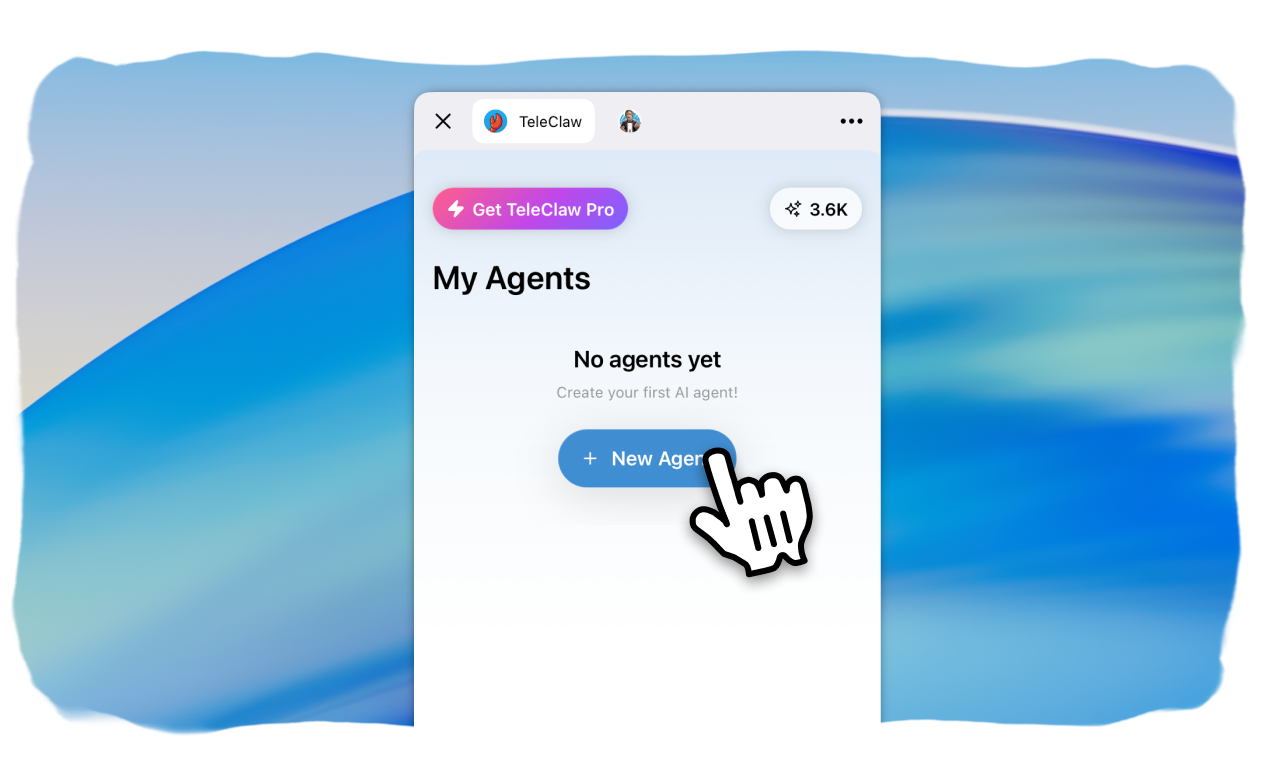
- Tap New Agent and describe what your agent should do
- Send it a task and the agent runs in the cloud and reports back
The agent will ask clarifying questions if the task is ambiguous. For well-defined tasks, it will start immediately and update you as it progresses.
You can also connect TeleClaw to your own Telegram groups and channels. The agent can then respond to engineering questions from your team, handle support workflows, and answer from a knowledge base you provide. See the features overview for the full list of what you can set up.
If you want to compare plans before starting, the pricing page has a full breakdown of what is included in Free vs Pro.
The State of Cloud Coding Agents
The cloud agent market in 2026 is competitive and fast-moving. New tools launch monthly. The ones that stick share a few traits: reliable multi-step reasoning, sandboxed execution that does not require trust in the agent’s judgment on destructive operations, and interfaces that fit into existing workflows.
TeleClaw’s Telegram-native approach is a deliberate choice in that landscape. Rather than building another web dashboard, the team put the agent where developers and businesses are already communicating.
The OpenRouter listing is one signal. The stronger one is that developers keep coming back to run real tasks, not just try a demo. See the listing for current rankings.
Ready to run a cloud coding agent from Telegram?
Start a conversation with @claw and describe what you want to build.
FAQ
Frequently Asked Questions
What is a cloud agent?
How is TeleClaw listed on OpenRouter?
How do I start a cloud agent session on TeleClaw?
What can TeleClaw's cloud agent do?
Is TeleClaw's cloud agent safe to use?
More Reading
Keep Reading

Best AI Agents for Business in 2026: A Category-by-Category Guide
The clearest way to compare AI agents for business in 2026: six real categories, honest picks, and where a Telegram-native agent like TeleClaw actually fits.

How to Create a FAQ Bot for Telegram: Step-by-Step Guide
Learn how to create a FAQ bot for Telegram in 2026. Register with BotFather, choose no-code or code, set group rules, and launch answers that scale.